1
Primary input
Product still
One chosen image
Motion brief
The image plus a description of movement
From still to motion
Start with a recognizable product still, then describe what should move and what must remain unchanged. Claid helps you think through the visual brief before you try a creative tool.

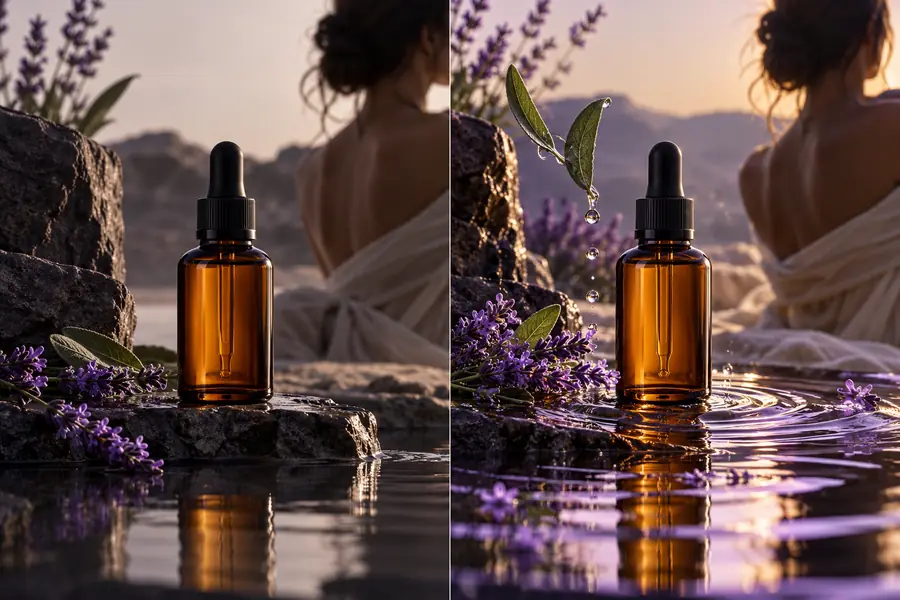

The comparison is between two visual intentions: a fixed product composition and a motion-ready version of that same idea. These are illustrative stills, not video frames.
Use the divider to compare visual direction, not to judge generated motion or frame consistency.
A still needs to look right once. A moving sequence must keep the subject recognizable as the viewpoint, lighting, or surroundings change.
Product still
One chosen image
Motion brief
The image plus a description of movement
Product still
Recognizable in one composition
Motion brief
Recognizable throughout the intended sequence
Product still
A fixed angle
Motion brief
A specified move, such as a gentle push-in
Product still
A single arrangement
Motion brief
An arrangement that should remain coherent as motion occurs
Product still
Checked in the source image
Motion brief
Checked for changes across the result
Product still
Inspect composition and clarity
Motion brief
Inspect those qualities plus continuity and unwanted movement
Choose the starting image according to the job. A clean, legible source makes it easier to describe motion without also asking the tool to repair the product.
A product has a clear packshot but needs a more expressive campaign concept.
Begin with the packshot and specify a restrained camera move that keeps packaging details visible.
ai product photosSeveral approved still concepts could become the opening frame of a short visual.
Compare compositions first, then write a separate motion brief for the strongest candidate.
ai image variationsA scene is appealing, but the featured item is not the intended product.
Resolve the product choice in the still before planning movement around it.
product swap aiA product is ready, but its existing backdrop distracts from the intended mood.
Settle the scene direction first so the motion brief can focus on movement.
background changerTreat these as preparation and review steps, not a promise that any particular control or output format is available.
Choose a sharp still with readable product details and enough space around the subject for the movement you have in mind.
Name the camera or scene movement, its pace, and the details that must stay fixed. A single clear direction is easier to evaluate than competing actions.
Review the result for altered labels, shifting shapes, unexpected objects, and motion that draws attention away from the product.
Motion is only one way to develop a product image. These nearby workflows address the starting still and the scene around it.
Keep the product recognizable, ask for one deliberate movement, and inspect the result rather than assuming the source image will remain unchanged. Available generation features depend on the tool you open.
It is a workflow that uses a still image as the visual starting point for a moving sequence. The source establishes the subject and composition, while a motion brief describes the intended change over time.
Choose an image in which the main subject is clear and important details are legible. If the product is obscured or its label is already distorted, motion can make those problems harder to assess.
Ask for one specific movement, such as a slow camera push-in or a gentle turn. State what must remain stable, especially the product’s shape, colors, and printed details.
Do not assume it will. Inspect the moving result for changes to packaging, text, proportions, and background objects before using it in a campaign.
No. An illustrative still can communicate framing and mood, but it cannot demonstrate timing, continuity, or video quality. Those qualities can only be judged in an actual moving result.